
Built for
iPhone Duo.
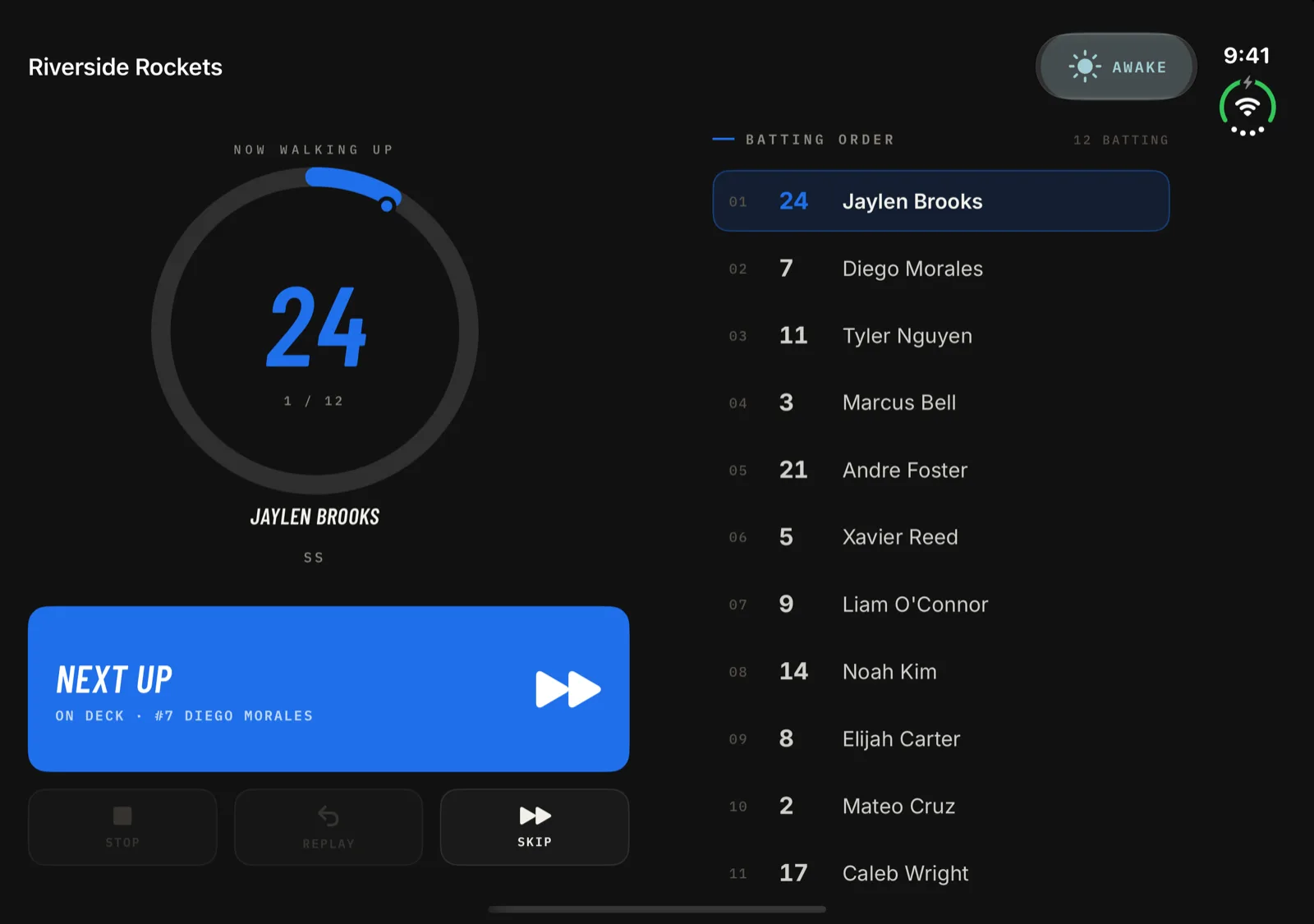
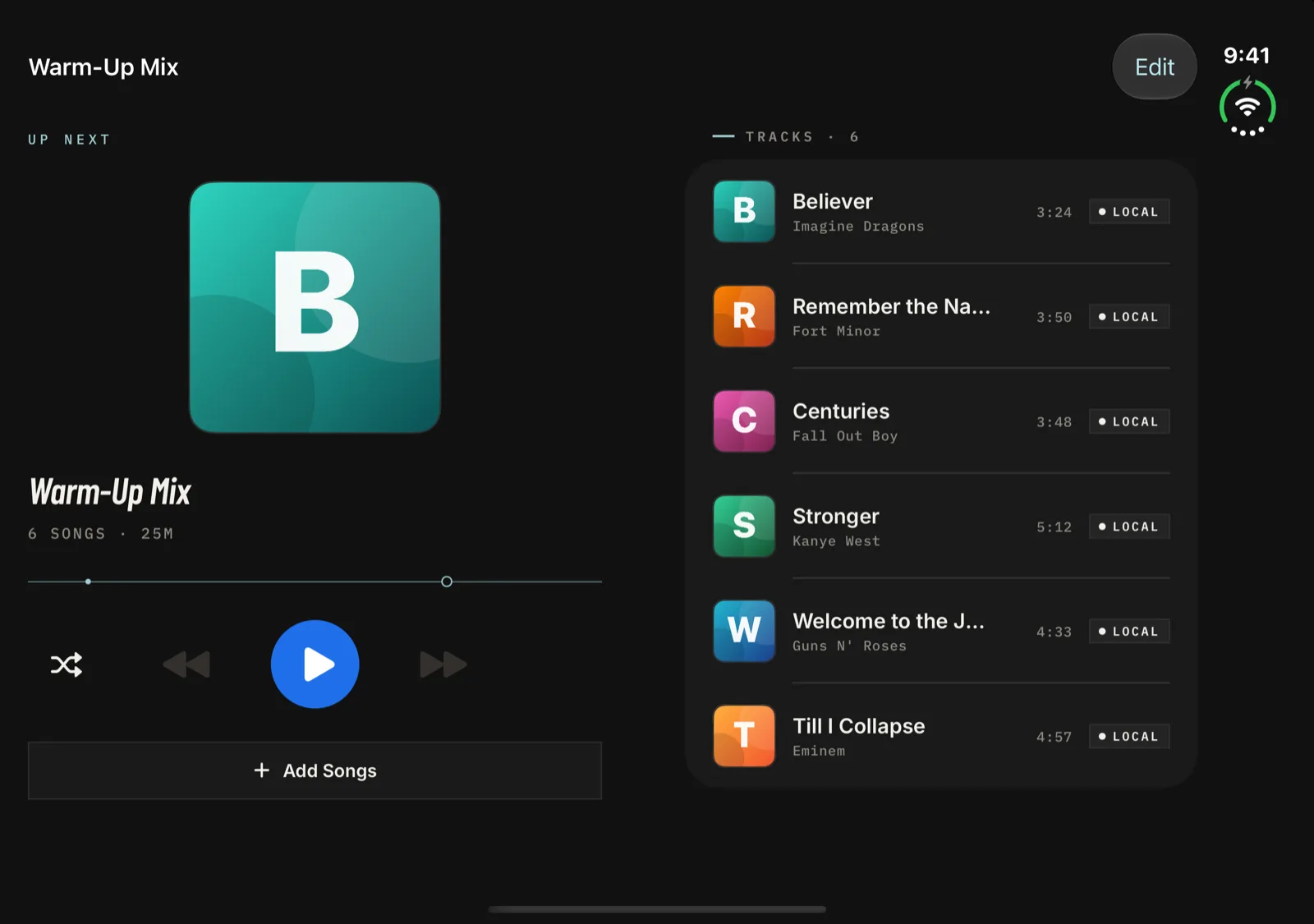
Open the foldable iPhone like a book and Walkout Song Pro uses both halves. The batter and the Next Up button sit on one side of the fold, the whole batting order on the other. Close it, and every screen still works on the outer display.
Open it up.
Use both halves.
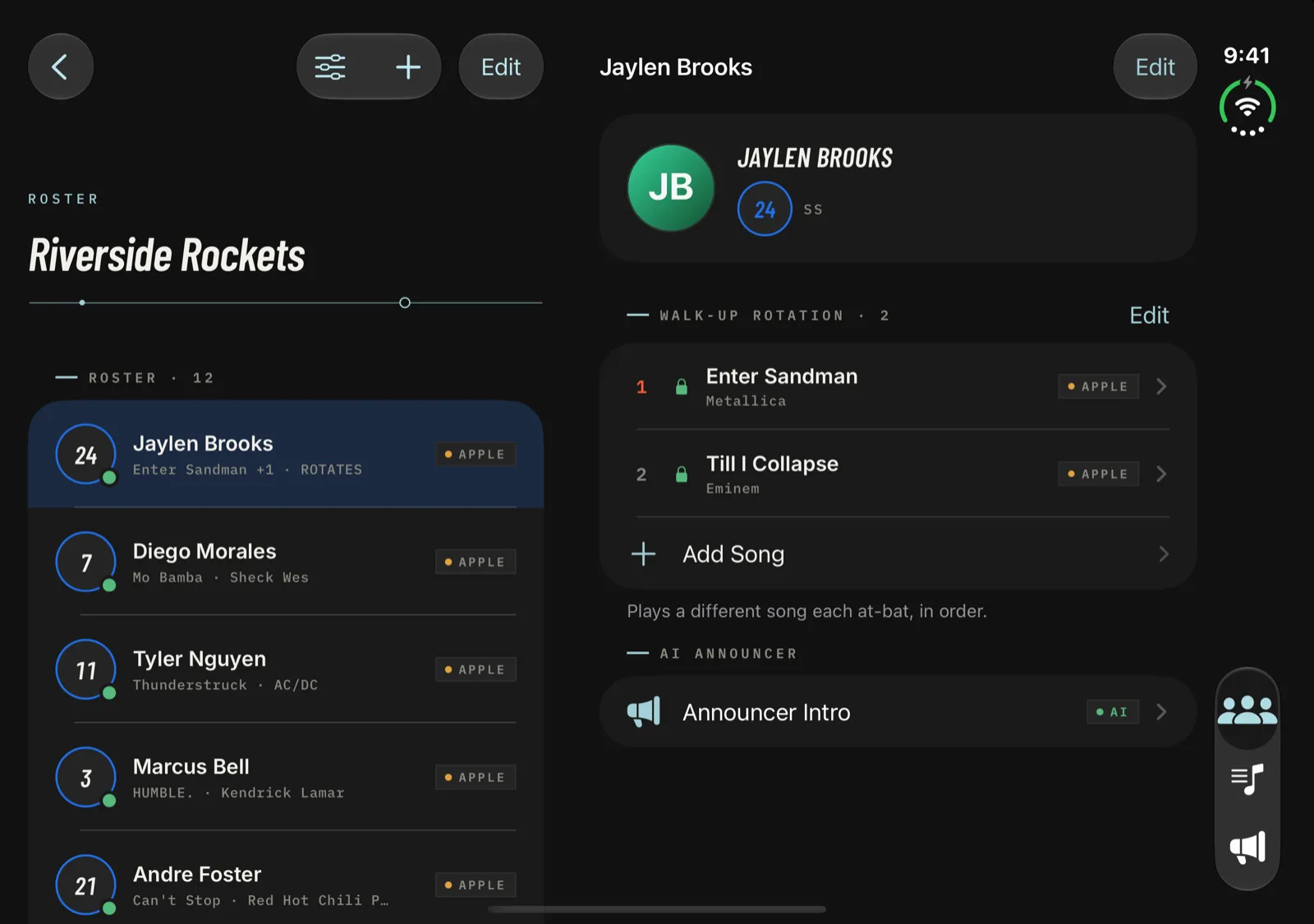
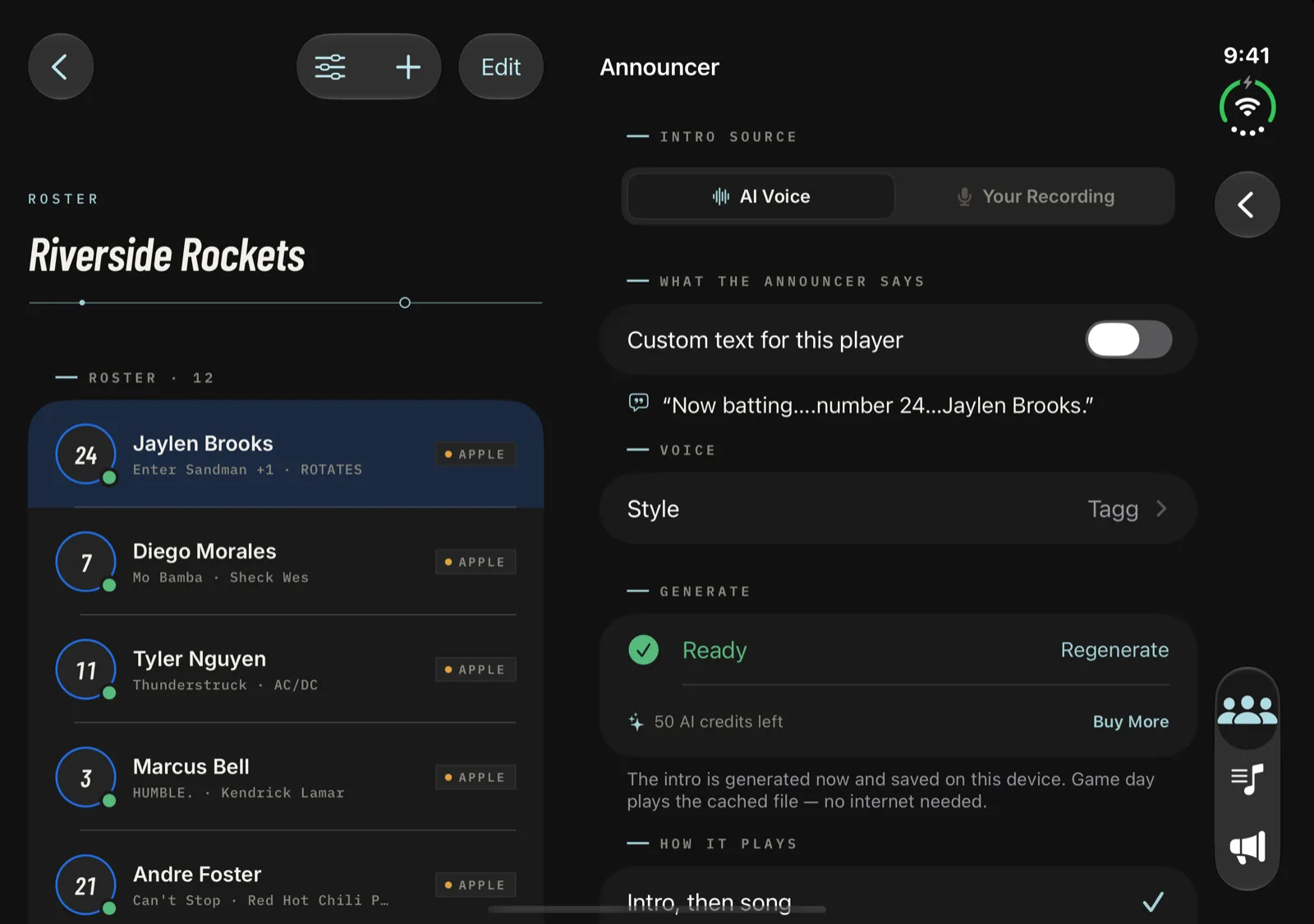
On the Duo's inner display the main screens split into two panes, and the gap between them lines up with the fold. Forms like Settings and the song trimmer stay one full-width column.
Closed, it's still
the whole app.
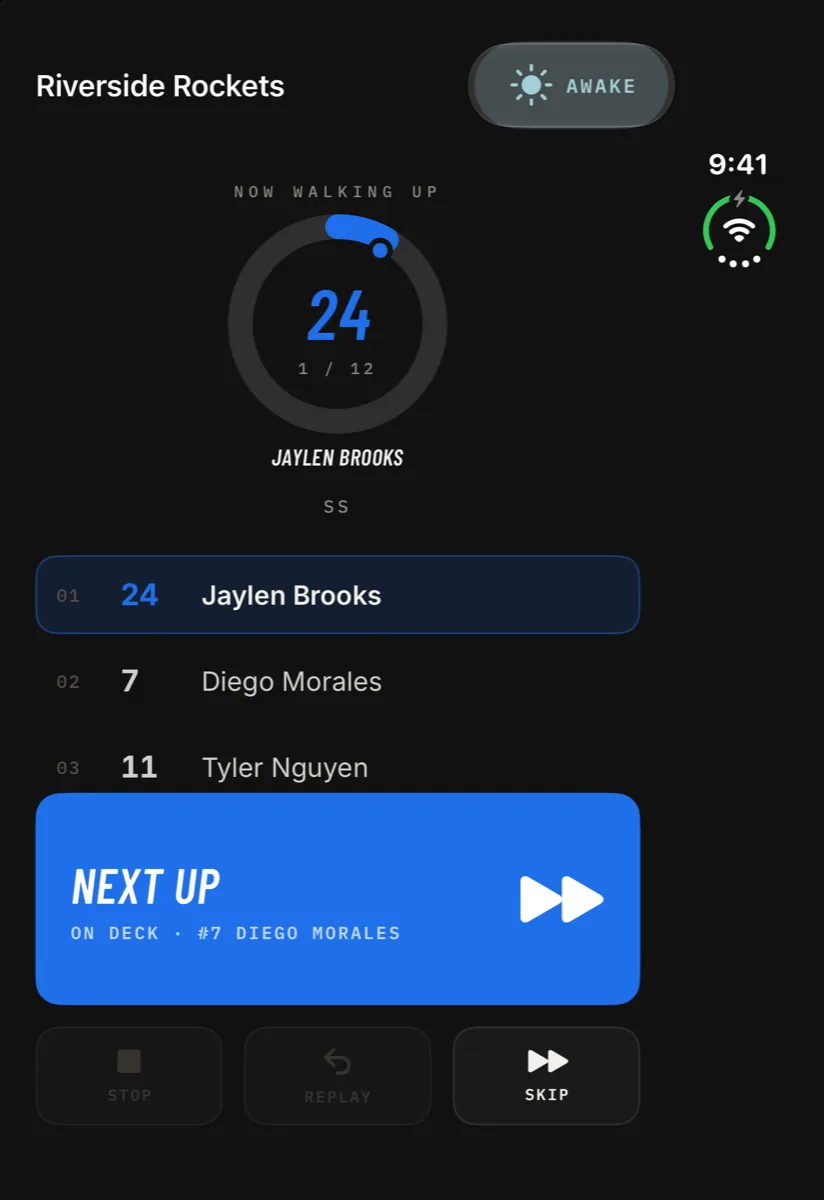
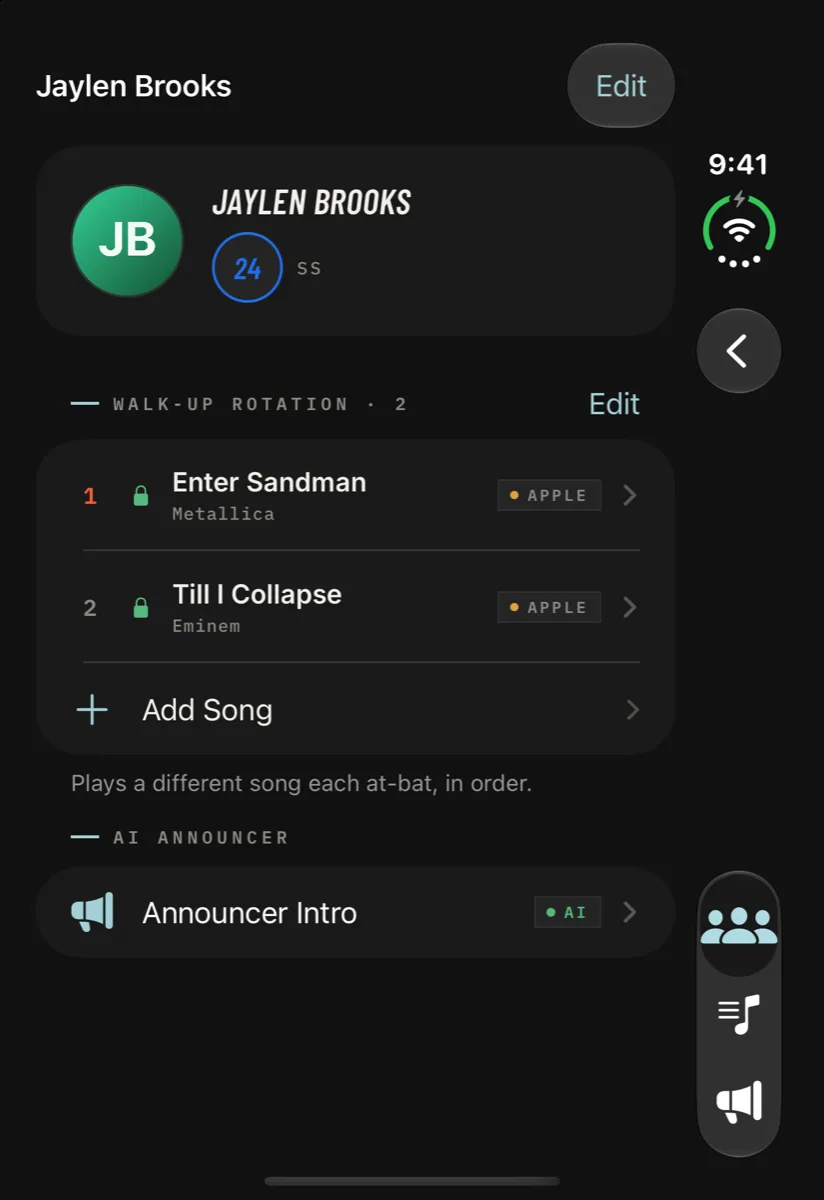
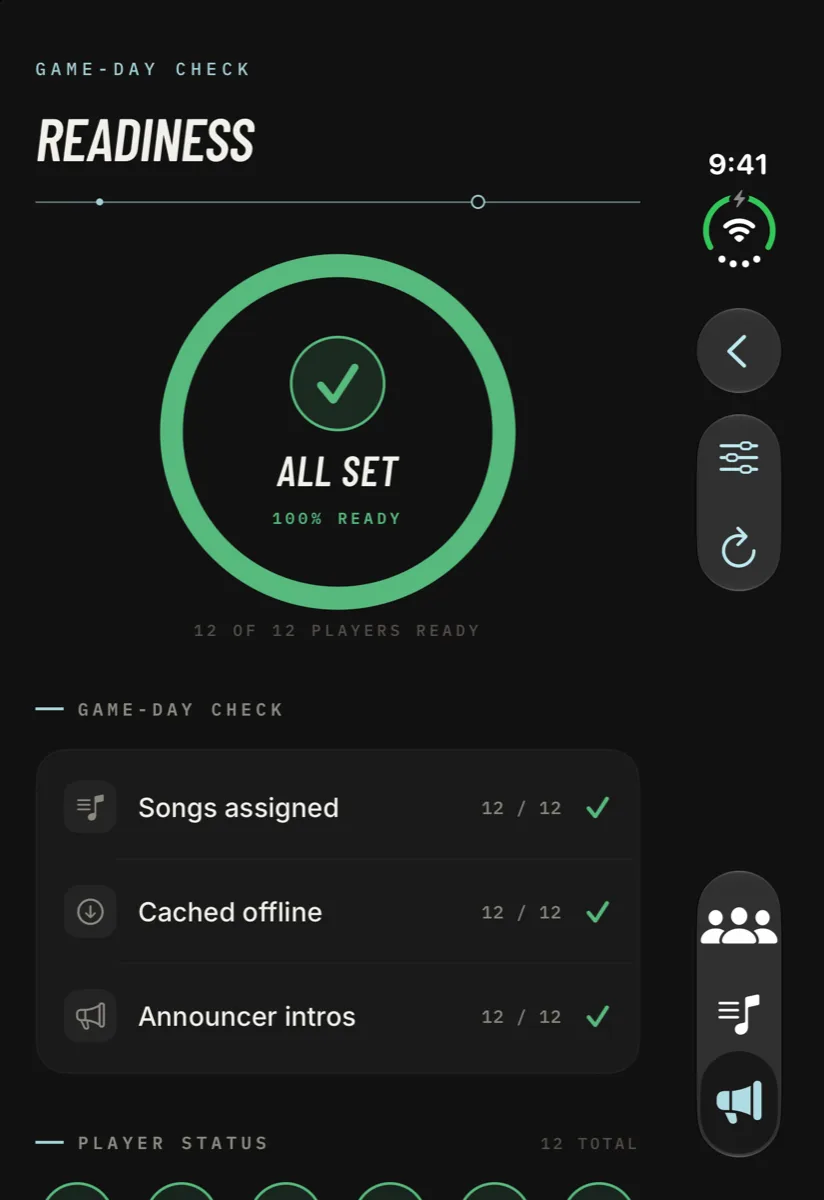
Fold the Duo shut and Walkout Song Pro runs on the outer display like it does on any iPhone. The tab bar and toolbar buttons move into the vertical bar along the edge.
Folded, flat,
or halfway.
The layout follows the shape of the screen, so it changes as you open, close or turn the Duo.
Open flat
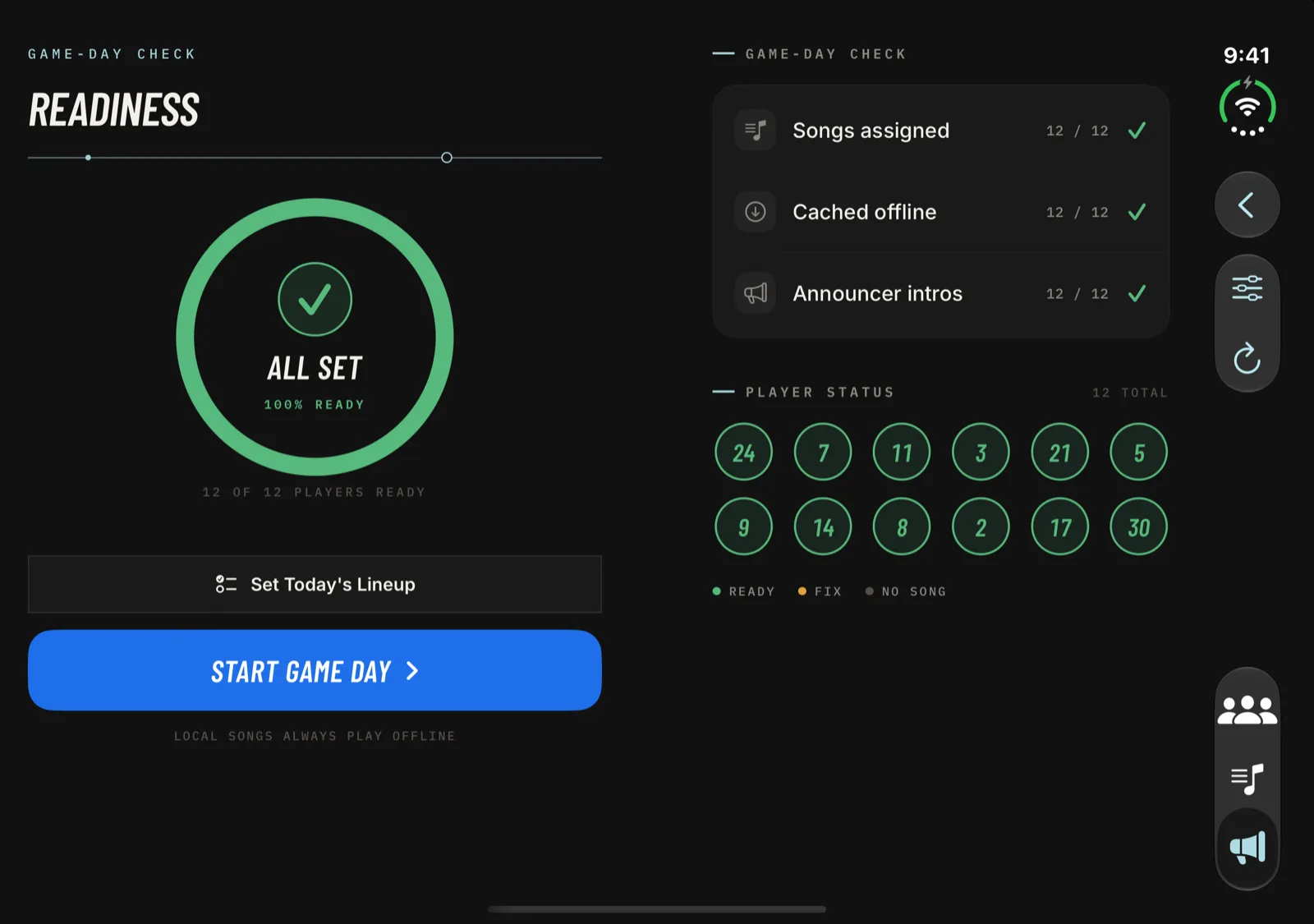
Two panes on Game Day, Readiness, the pre-game player and onboarding. The roster sits beside the player, and Teams and Playlists show two columns of cards.
Partly open, like a book
The same two panes, with the gap on the fold. Sheets like Edit Team or Add Batter open on one half.
Turned on its side
When the fold runs across the screen, screens go back to one column. On Game Day the lineup scrolls on top, with Next Up and the controls below.
Closed
The outer display runs every screen, with the tab bar in the vertical bar along the edge.
How the fold-aware layout works
Walkout Song Pro doesn't ask what device it's running on. It looks at the shape of its own window. When the window is wide (at least 720 points and wider than it is tall), the main screens split in two, and the gap between the panes goes where iOS reports the fold. The big buttons, like Next Up, Start Game Day and Continue, always live inside one pane, so you never tap across the hinge.
Here's what each screen does on the open Duo:
- Game Day: the batter ring, Next Up, Stop, Replay and Skip on one half, the full batting order, still editable, on the other. More about Game Day.
- Roster: the team list beside the player you pick. Their songs, trims and announcer intro open on the right.
- Readiness: the verdict ring and Start Game Day on one side, the checklist and player status on the other.
- Pre-game playlists: the player on one side, the track list on the other.
- Teams and Playlists: two columns of cards, split at the fold.
- Onboarding: the story on the left page, the demo and Continue on the right.
Fold it mid-task, keep your place
Things you have open stay open when you fold, unfold or turn the Duo. A player's page, a song trim you haven't saved yet, or the Today's Lineup sheet carries over to the new layout instead of closing.
Big iPhones and iPad get it too
Because the layout keys off window shape, the same side-by-side screens show up anywhere the window is wide enough: large iPhones in landscape and iPad in landscape. On an iPhone in landscape, Game Day keeps its Stage view with the big jersey number. Portrait layouts on iPhone and iPad are unchanged.
Version 1.1: the iPhone Duo layout is available now in Walkout Song Pro 1.1, a free update. Everything else is the same app: walk-up songs, the AI announcer, and 100% offline playback at the field.
Before you
unfold it.
Two halves.
One lineup.
Get Walkout Song Pro on the App Store. The iPhone Duo layout is available now in version 1.1.
iPhone · iPhone Duo · iPad · One-time $14.99